Introducing Marqii MCP and How to Set It Up
Running a restaurant means you're always moving. Menus to update. Reviews to check. Listings to keep in sync. There's rarely time to sit down and dig through dashboards — and honestly, there shouldn't have to be. That's why we built the Marqii MCP.
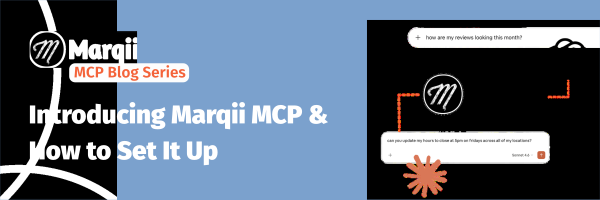
Running a restaurant means you're always moving. Menus to update. Reviews to check. Listings to keep in sync. There's rarely time to sit down and dig through dashboards — and honestly, there shouldn't have to be.
That's why we built the Marqii MCP.
What Is an MCP?
MCP stands for Model Context Protocol — a standard that allows AI platforms like Claude and ChatGPT to securely connect to outside tools and pull live data. In plain terms, it means your AI assistant can now actually take real actions in your Marqii account, not just offer generic advice.
Once you're connected, your locations, menus, hours, and reviews are all accessible right inside your preferred AI. No extra logins, no tab-switching. Just ask, and let your AI do the rest.
What Can You Do With It?
Ask plain questions and get live answers:
- "Update my hours for the 4th of July weekend across all locations." Done.
- "Which of my locations still need menu updates?" Here's the list.
- "How are my reviews looking across all my stores this month?" Here's your summary.
Focus on hospitality. We'll handle the rest.
You can also combine your Marqii data with other business tools and sources you're already tracking — so you get the full picture in one conversation, from anywhere, including your phone.
A few things to keep in mind:
- Some actions still require logging into Marqii directly. Account settings, passwords, and user management can't be changed through an AI platform.
- Your existing permissions carry over. If a team member can't make certain changes in Marqii, the same restrictions apply in AI.
- There are built-in safeguards. If you ask AI to make a large or unusual change (like updating all menu prices at once), it'll check with you before proceeding.
- Responding to reviews isn't supported through MCP at this time.
What You Need
For Claude: A Claude Pro, Max, Team, or Enterprise plan with custom connectors enabled.
For ChatGPT: A ChatGPT Pro, Business, Enterprise, or Edu plan. (Admins may need to enable custom connectors for your org.)
For both: Your normal Marqii account credentials. That's it — no technical background required.
Connect Claude
Marqii MCP and Claude set up flow
Personal account (Pro or Max)
- Open claude.ai → Settings → Connectors
- Click the Customize tab to manage connectors
- Click Add custom connector. Name it Marqii and paste the URL: https://mcp.marqii.com/mcp
- Click Connect — a browser tab opens for Marqii sign-in. Use your Marqii dashboard credentials, then close the tab when it redirects back
- Done. The Marqii tools now appear in Claude's tool tray
Team or Enterprise account
Org admins install once; each team member connects their own Marqii account the first time they use it.
- Open the Anthropic Admin Console → Connectors
- Click Add → Custom → Web and paste the URL: https://mcp.marqii.com/mcp
- Save. The connector is now visible to all members under Customize → Connectors
- Each member clicks Connect and signs in with their individual Marqii credentials
Note: Org SSO doesn't carry over to Marqii — everyone signs in with their Marqii credentials, not their Anthropic SSO identity.
Connect ChatGPT
Marqii MCP and ChatGPT set up flow
Available on ChatGPT Pro, Business, Enterprise, and Edu. Admins may need to enable custom connectors for your organization.
- Open the ChatGPT web interface and click your profile name in the left sidebar → Settings
- Go to the Apps & Connectors tab, click Advanced, and toggle Developer Mode to On
- Return to the Connectors menu and click Create
- Enter a name (Marqii) and paste the URL: https://mcp.marqii.com/mcp
- Set the authentication type to OAuth and complete the Marqii sign-in when prompted
Using Gemini? Marqii MCP currently supports Gemini CLI only. It's not supported on the web or app versions of Gemini at this time. Gemini may also require admin permissions to set up, so it might take an extra step.
Need help troubleshooting? Reach out to your Account Manager or email support@marqii.com.
Not a Marqii client? Schedule a Demo to learn about how Marqii helps restaurants with their listings, menus, reviews, and more.