
How Restaurants Are Using the Marqii MCP to Work Smarter
When you connect your Marqii data with what's coming out of your POS, your revenue reports, or your inventory system, a five-minute conversation with your AI can give you more clarity than an hour of pulling reports ever did.
Part of the Marqii MCP Series | Week 3: Advanced Use Cases
Last week, we walked you through 10 individual tasks you can knock out in Marqii without ever leaving your AI chat. This week, we're taking it a step further.
The real power of the Marqii MCP isn't just in the individual tasks — it's in what happens when you start combining them. When you connect your Marqii data with what's coming out of your POS, your revenue reports, or your inventory system, a five-minute conversation with your AI can give you more clarity than an hour of pulling reports ever did.
This week, we are sharing five scenarios that show what that actually looks like.
For the Multi-Location Operator: Your Weekly Business Pulse Combined With Revenue Data
You're overseeing multiple locations. Every Monday, you need to know where things stand, not just in Marqii, but across the board.
With your MCP connected alongside your POS or revenue data, ask your AI:
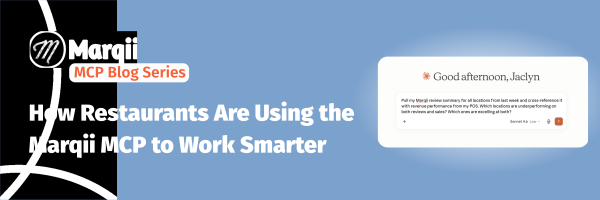
"Pull my Marqii review summary for all locations from last week and cross-reference it with revenue performance from my POS. Which locations are underperforming on both reviews and sales? Which ones are excelling at both?"
Instead of opening four different tools and building a spreadsheet, your AI surfaces the locations that need attention and the ones worth celebrating in a single response. You know exactly where to focus your week before you've finished your morning coffee.
This is where connecting Marqii data with your other business tools goes from convenient to genuinely valuable.
For the Quick-Service Restaurant: Managing an 86 Across Every Channel
You're a quick-service operator. It's a Tuesday afternoon, and your supplier just called: you're out of a key ingredient, and a menu item has to be taken down now at every location.
"Remove the spicy chicken sandwich from all menus immediately. Also, check if it's listed as a featured item or in any active promotions across my locations."
It's pulled from every menu. Any active callouts get flagged for your review. The fix that used to require calls to each location manager and a login to every platform is done in under two minutes from your phone.
No guests ordering something you can't make. No frustrated staff explaining to a guest why the item they ordered isn't available. Clean, fast, done.
For the Fine Dining or Independent Restaurant: The Pre-Service Check-In
It's Friday afternoon. You have a full house tonight and a team that needs direction before they clock in. Instead of guessing how last weekend went or trying to remember a comment a guest left two Fridays ago, you ask your AI:
"Show me our Friday through Sunday reviews from the last three weeks. Are there any recurring feedback trends I should be aware of? Are any specific staff members mentioned - positive or negative?"
Your AI pulls the data and surfaces something like: guests are consistently praising the bar experience but flagging slow table turns on Friday nights, and two reviews specifically mention a server by name for going above and beyond.
You walk into your pre-shift meeting with specific, actionable talking points, not a vague pep talk. You can recognize great service by name, address the pacing issue directly, and set your team up for a better night than last week. That's the difference between managing by instinct and managing by data.
For the Owner or Franchise Operator: Prepping for a Performance Review
You have a call with two of your franchisees next week, and you need to come prepared. Instead of asking your team to pull reports or cobbling together data from multiple sources, you ask your AI:
"Give me a 30-day performance summary for my Northside and Downtown locations. Include review ratings, volume, and any feedback trends. If you have access to revenue data, pull that in too so I can see if there's a correlation between guest sentiment and sales."
You get a clear, side-by-side picture of how both locations are performing - guest sentiment, digital presence, and revenue in one view. You walk into the call knowing exactly which location deserves recognition and which one needs a real conversation.
No last-minute scrambling. No surprises.
For the Marketing Manager: Running a Pre-Launch Audit
You're two weeks out from a seasonal campaign launch. Before anything goes live, you need to know your digital presence is clean and consistent across every location.
"Which of my locations are missing the new summer menu items? Do all locations have complete and consistent hours listed? And pull me a review summary for the past 60 days - I want to know our average rating and if there are any reputation issues at specific locations before we start driving traffic."
You get your gaps, your inconsistencies, and your reputation snapshot all before a single ad dollar is spent. You fix the problems while there's still time, not after guests start arriving at a location with outdated information.
And when leadership requests a campaign readiness report, you have the data to support it.
The Bigger Picture: Stringing It All Together
In every scenario above, the Marqii MCP does two things: it pulls the right information instantly, and it connects that information to something bigger — your POS data, your revenue, your inventory, the context of what's actually happening in your business.
That's what makes it more than a time-saver. It's a smarter way to run your restaurants.
Ready to Put It to Work?
If you haven't connected yet, head over to the Help Center for step-by-step instructions to help you get started. And if you're already connected, try one of the workflows above this week.
We'd love to hear how it goes. Share what you're doing with your Account Manager or tag us on LinkedIn. We'll be featuring real restaurant stories in the weeks ahead.
Coming up in Week 4: Join us for a live session with Kelsey Verdier, VP of Marketing, on June 23rd at 1 pm EST. We'll do a live walkthrough and open Q&A, so bring your questions.
Miss the earlier posts in the series? Catch up here:
Week 1: Introducing Marqii MCP and How to Set It Up.
Week 2: 10 Things You Can Do in Marqii Without Leaving Your AI Chat